Hi everyone! I had this exact problem and I figured out a solution! It actually wasn't as hard as you may think. I'm a server/system admin and do freelance web design and stuff. I'm used to messing with stuff and figuring out fixes for things.
THIS ALSO FIXED THE ISSUE WHERE MY NVIDIA GEFORCE NOW WOULDN'T LAUNCH. IF YOU HAVE ISSUES WITH NVIDIA GEFORCE NOW THIS IS A FIX FOR IT AS WELL.
Step 1:
For whatever problem you get. Go here first:
"C:\Games\Halo 2 Project Cartographer\h2onscreendebug.log"
If you are getting any of these errors:
Could not connect to ROOT\CIMV2. Error code = 0x80070422
Get Win UUID failed.
Could not connect to ROOT\WMI. Error code = 0x80070422
Get M/B info failed.
Insufficient PC Identification! - Your PC does not have sufficient unique identifiers available. Please contact an admin about linking this PC with another that you own that does have sufficient info. This is to ensure fair online play.
This means that your computer cannot serialize a number (your motherboard's GUID/UUID and convert it/parse it to a string or an array of bytes so the game can authenticate/handshake your machine). Windows does this the same to stop pirating and hacking and what not. Lots of other companies are doing this as a way to ensure bans even if you change your IP.
If you have any of the errors above, please continue to step 2.
Step 2:
Check if these 2 services posted below are running in windows first before doing anything else.
To get here do these steps: Start->run->services.exe->right click and run as administrator

Step 3:
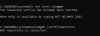
Make sure that this is the response back you get in an elevated command prompt window which is posted below.
To get here do these steps: Start->run->cmd.exe->right click and run as administrator
https://docs.microsoft.com/en-us/windows/desktop/wmisdk/winmgmt
Go here and make sure to salvage your repository then verify it after doing Step 2 if you do not see the same responses above.
Step 4:
Go back to step 3 until it looks like this screen and restart. Your game should work now!
THIS ALSO FIXED THE ISSUE WHERE MY NVIDIA GEFORCE NOW WOULDN'T LAUNCH. IF YOU HAVE ISSUES WITH NVIDIA GEFORCE NOW THIS IS A FIX FOR IT AS WELL.
Step 1:
For whatever problem you get. Go here first:
"C:\Games\Halo 2 Project Cartographer\h2onscreendebug.log"
If you are getting any of these errors:
Could not connect to ROOT\CIMV2. Error code = 0x80070422
Get Win UUID failed.
Could not connect to ROOT\WMI. Error code = 0x80070422
Get M/B info failed.
Insufficient PC Identification! - Your PC does not have sufficient unique identifiers available. Please contact an admin about linking this PC with another that you own that does have sufficient info. This is to ensure fair online play.
This means that your computer cannot serialize a number (your motherboard's GUID/UUID and convert it/parse it to a string or an array of bytes so the game can authenticate/handshake your machine). Windows does this the same to stop pirating and hacking and what not. Lots of other companies are doing this as a way to ensure bans even if you change your IP.
If you have any of the errors above, please continue to step 2.
Step 2:
Check if these 2 services posted below are running in windows first before doing anything else.
To get here do these steps: Start->run->services.exe->right click and run as administrator
Step 3:
Make sure that this is the response back you get in an elevated command prompt window which is posted below.
To get here do these steps: Start->run->cmd.exe->right click and run as administrator
https://docs.microsoft.com/en-us/windows/desktop/wmisdk/winmgmt
Go here and make sure to salvage your repository then verify it after doing Step 2 if you do not see the same responses above.
Step 4:
Go back to step 3 until it looks like this screen and restart. Your game should work now!
Likes:
Esemes16 and MasterBuller